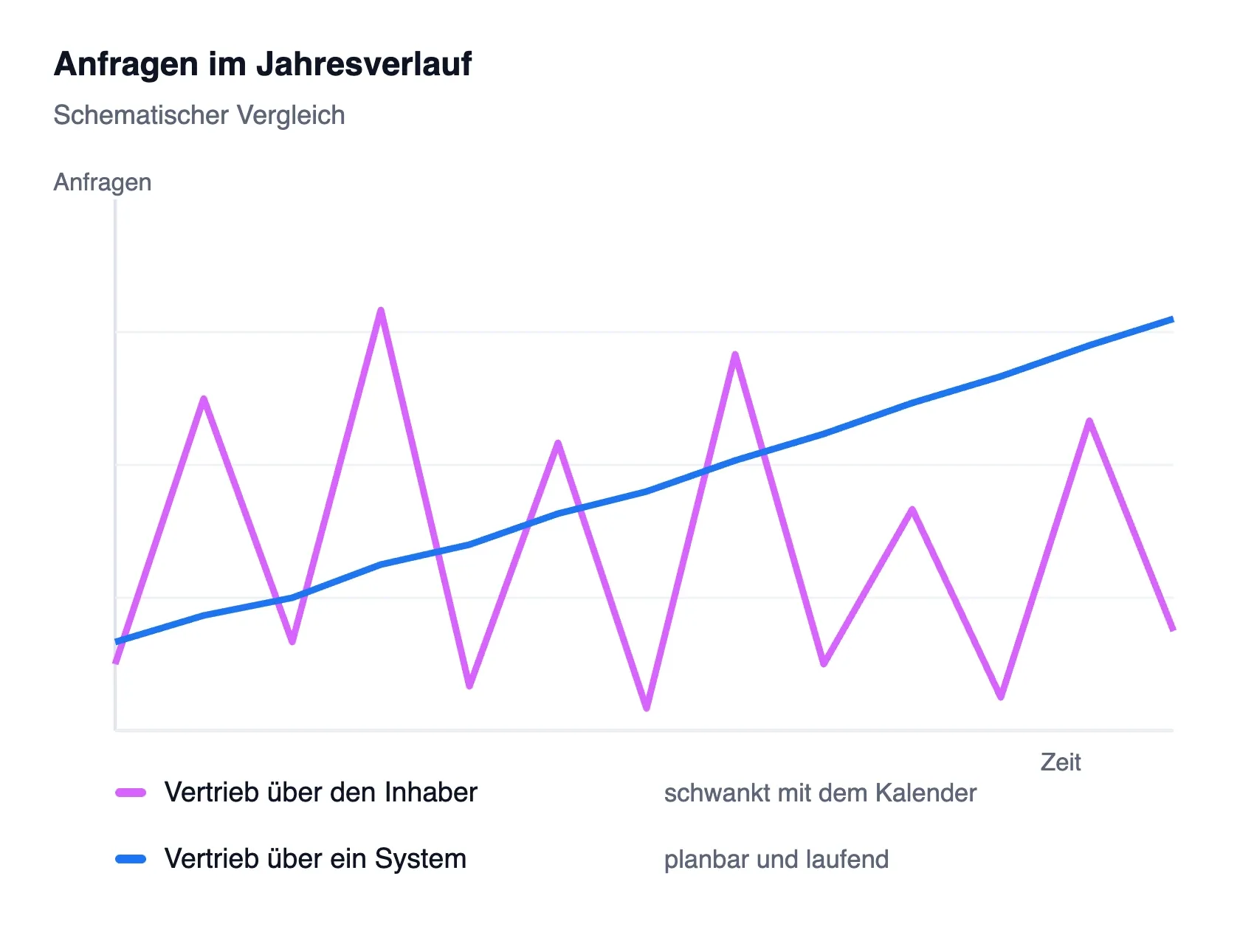
MAGAZINE · LEAD GENERATION & FUNNEL
Why Many B2B Websites Don’t Generate Leads
Clean design, professional photos – and yet the inbox stays empty. Why that happens and how to turn your website into a lead machine.
Many B2B websites look great at first glance: clean design, clear structure, professional photos. And yet what nobody likes to admit happens – the inbox stays silent. No leads, no demo requests, no downloads.
The problem is rarely the look. Beauty alone doesn’t drive conversion. A website that’s supposed to generate leads has to do more than inform: it has to persuade, guide, and motivate action.
The good news: usually it’s the same five recurring issues standing between you and more inquiries. We’ll go through them one by one – and show you exactly what to change.
The key points at a glance
- Focus: a clear target audience and an offer that hits their problem.
- Guidance: unambiguous calls to action and social proof visible early.
- Technology & process: fast, mobile-first basics and a follow-up that never loses a lead.
Five problem areas, five levers – the rest of this article shows you how to put them into practice.
Five levers decide whether your website generates leads or just looks good.
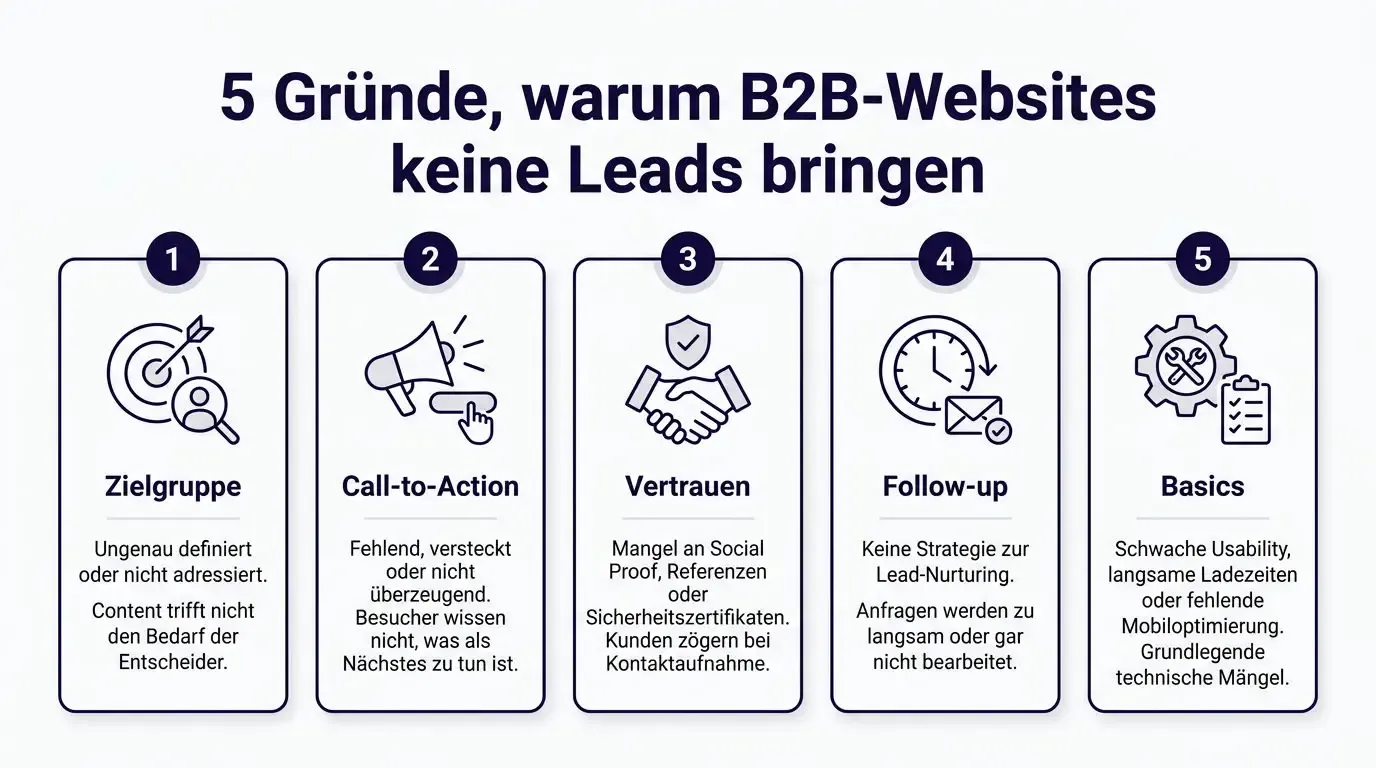
The five most common reasons why visitors never turn into inquiries – and where in the funnel they get lost.
/ 01 – Target audience
Are you speaking to the right people?
The first question your website has to answer in seconds is also the simplest: who is this for – and what’s in it for them?
That’s exactly where many sites fail. They tell their story from the inside: “We are…”, “Our mission…”, “For 20 years…”. Understandable, but irrelevant to visitors. Whoever lands on your site isn’t looking for your company history – they’re looking for a solution to a specific problem.
Three patterns show up almost every time: copy written from an internal perspective, no clear value statements (“What’s in it for me?”), and language that names neither the industry nor the problem.
The lever is a Bold Promise – a clear promise right at the top of the page: “You’re in the right place, and we solve exactly your problem.” Whoever creates this kind of clarity attracts the right people and loses the wrong ones deliberately, not through confusion.
A website is not a shop window. It’s your best-trained salesperson – on duty around the clock.
Principle of digital sales
/ 02 – Call to action
02
No clear next step, no lead
Suppose you’ve convinced the right person – what should they do next? On a surprising number of B2B sites, there’s no answer to that. No clear contact goal, no lead magnet, no conversion flow. Instead: a contact form in the footer and the silent hope for initiative.
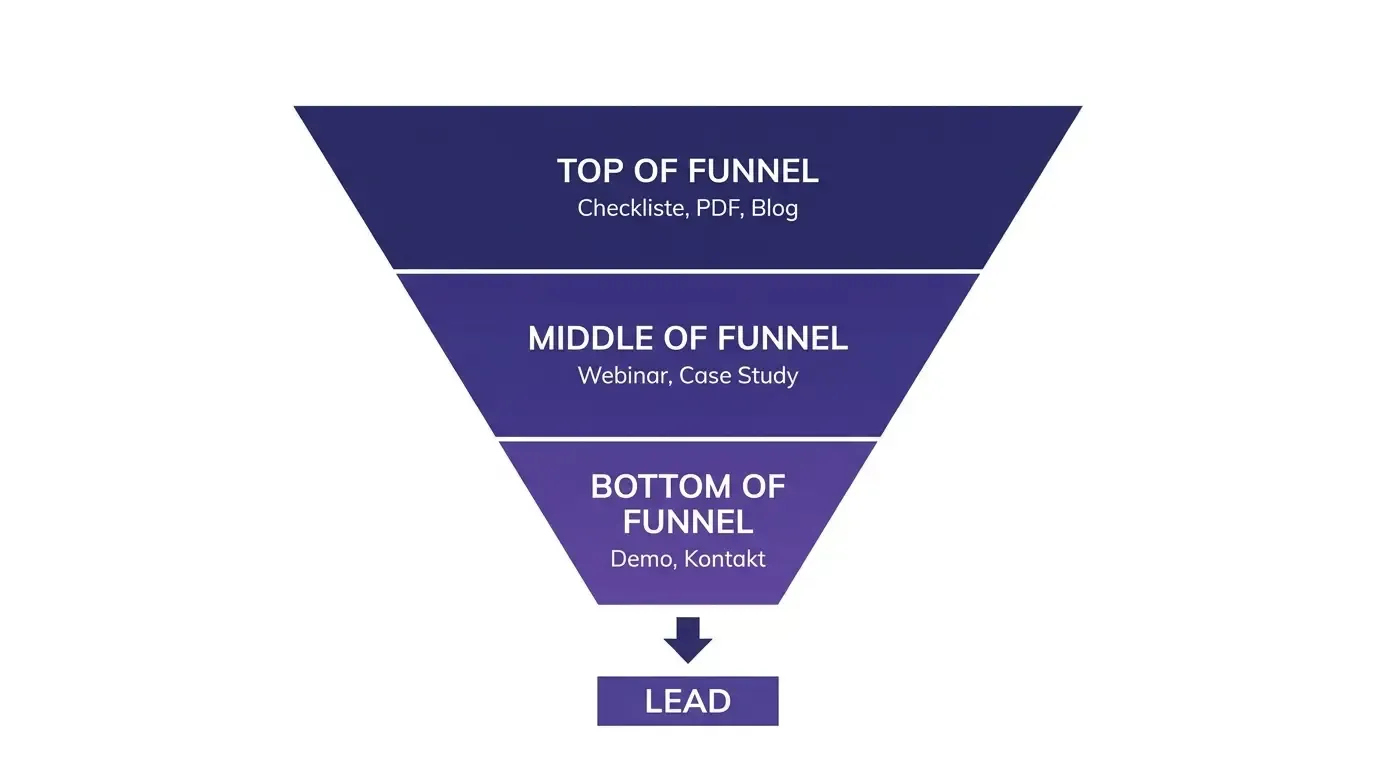
That’s not enough. Three things help immediately: a visible demo or contact button in the main navigation, a lead magnet with a low entry barrier (checklist, short PDF, video), and multiple CTAs matched to the funnel stage. The rule of thumb: on every page, the next sensible step should be clear and only one click away.
This is how trust is built
- References with logo and a real quote
- Case studies with a concrete result
- Testimonials with photo and role
- Seals, certificates, and industry experience visible early
This costs trust
- Social proof buried deep on a subpage
- Anonymous statements without a name or face
- Claims without any evidence
- Outdated or generic logos
/ 03 – Follow-up
What happens after the click decides the fate of your lead.
An inquiry only becomes a customer if there’s a process behind it – not an overflowing inbox.
1
Step 1
Capture the inquiry cleanly
Every inquiry lands in a structured system – not in a shared mailbox nobody reads consistently.
2
Step 2
Confirm automatically
A thank-you page and confirmation email provide immediate reassurance and set clear expectations for the next step.
3
Step 3
Anchor it in the CRM
File every lead with its source and context – for example in Pipedrive or HubSpot Starter.
4
Step 4
Start nurturing
A short, helpful email series keeps the contact warm until the time is right to buy.
5
Step 5
Follow up reliably
A clear task with a deadline makes sure no lead is forgotten.
Mobile first
The bulk of your traffic comes from smartphones. Whatever breaks there costs you inquiries directly.
Load time
Every extra second increases the bounce rate. Speed is mandatory, not a nice-to-have.
Usability
Confusing navigation and jerky scrolling quietly but reliably kill conversions.
Clear structure
A logical site architecture guides visitors to their goal instead of losing them in the menu.
Accessibility
Good contrast and clean structure help every user – and discoverability.
Secure connection
HTTPS, current technology, and data protection build trust before the first click.
Measure & improve
With PageSpeed Insights, Hotjar, or Userback you uncover weak points and fix them in a targeted way.
The basics have to be right
Even in 2026, the fundamentals decide. If the technology doesn’t cooperate, the best message is worthless.
/ 04 – Conclusion
Websites aren’t brochures
A B2B website shouldn’t just inform – it should sell. That works when five levers come together: clear audience focus, unambiguous CTAs, social proof visible early, clean tracking, and a follow-up that never loses a lead.
None of these levers is rocket science. The difference lies in implementing them consistently, instead of relying on a pretty design. Whoever does that turns their website from a digital shop window into a lead machine – a page that doesn’t just look good, but works.
Keep reading: What zero-click and AI search mean for your B2B sales
/ 05 – FAQ
Frequently Asked Questions
Reflects the real prompts from Google AI and ChatGPT around B2B websites and lead generation.
Why doesn’t my B2B website generate leads even though it looks good?
Design alone doesn’t create conversion. What’s usually missing is audience clarity, unambiguous CTAs, visible social proof, or a follow-up process.
How many calls to action should a B2B website have?
Several, matched to the funnel stage: low-threshold offers up top (checklist, PDF), concrete steps further down (demo, contact).
What makes a good lead magnet in B2B?
Content with a low entry barrier and high value: a checklist, template, short video, or a compact PDF addressing the target audience’s acute problem.
How do I build trust on a B2B website?
With verifiable social proof: references with logo and quote, case studies with results, testimonials with name and role – visible and early.
Which tools help with load time and usability?
PageSpeed Insights for speed, Hotjar and Userback for user behavior and feedback.
How do I measure whether my website generates enough leads?
Track conversion rate, inquiries per channel, and the paths leading to an inquiry – with CRM plus web analytics, rather than just looking at visitor numbers.
/ 06 – Who it’s for
Who this article is especially worth reading for.

B2B websites with lots of traffic, few inquiries
You’re getting visitors but barely any leads? Here are the most common causes and the right levers.

Marketing & sales teams
You want to turn traffic into inquiries predictably and close the leaks in the funnel.

Founders & small teams
Little time, little budget: here you’ll find the measures with the biggest impact.