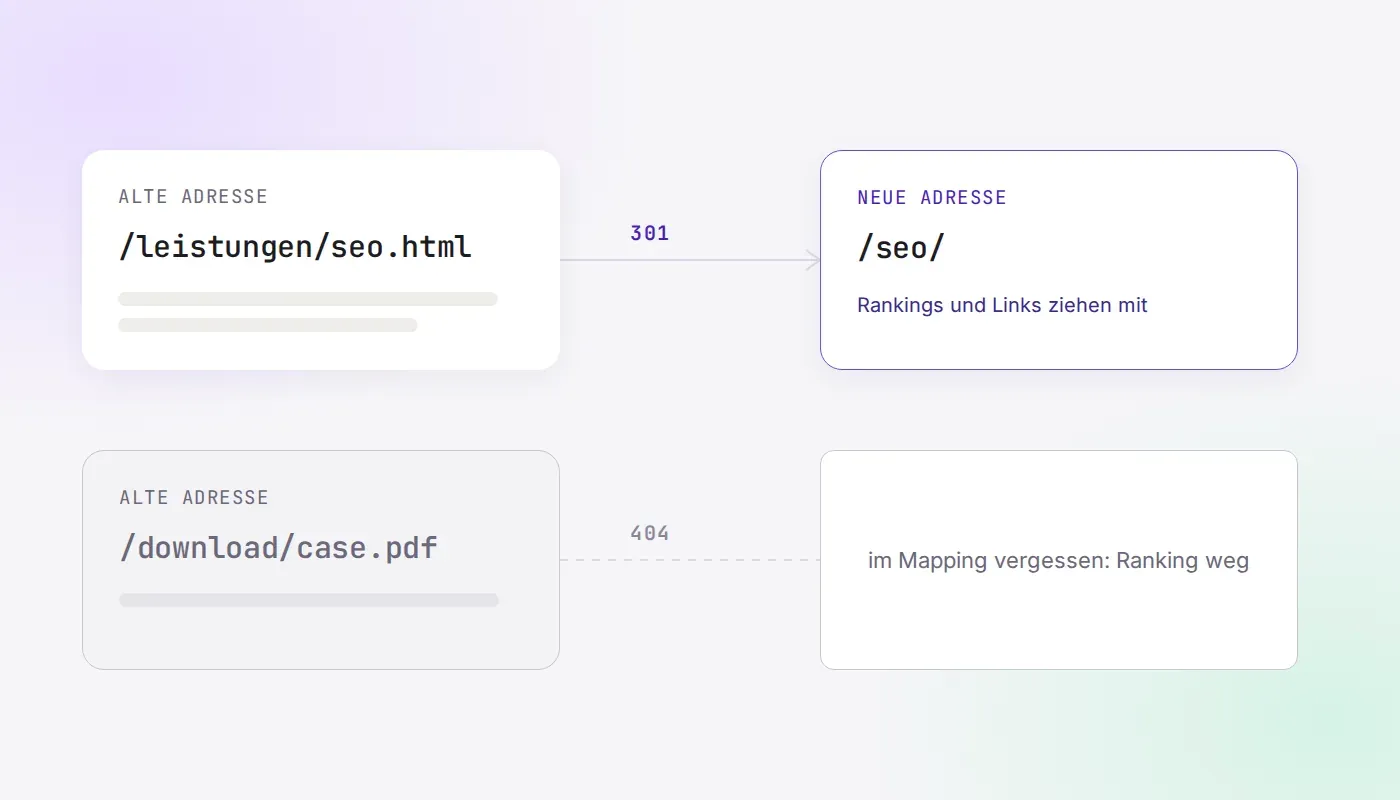
Website Relaunch Checklist for B2B with 30 Points from Our Own Move
Key points
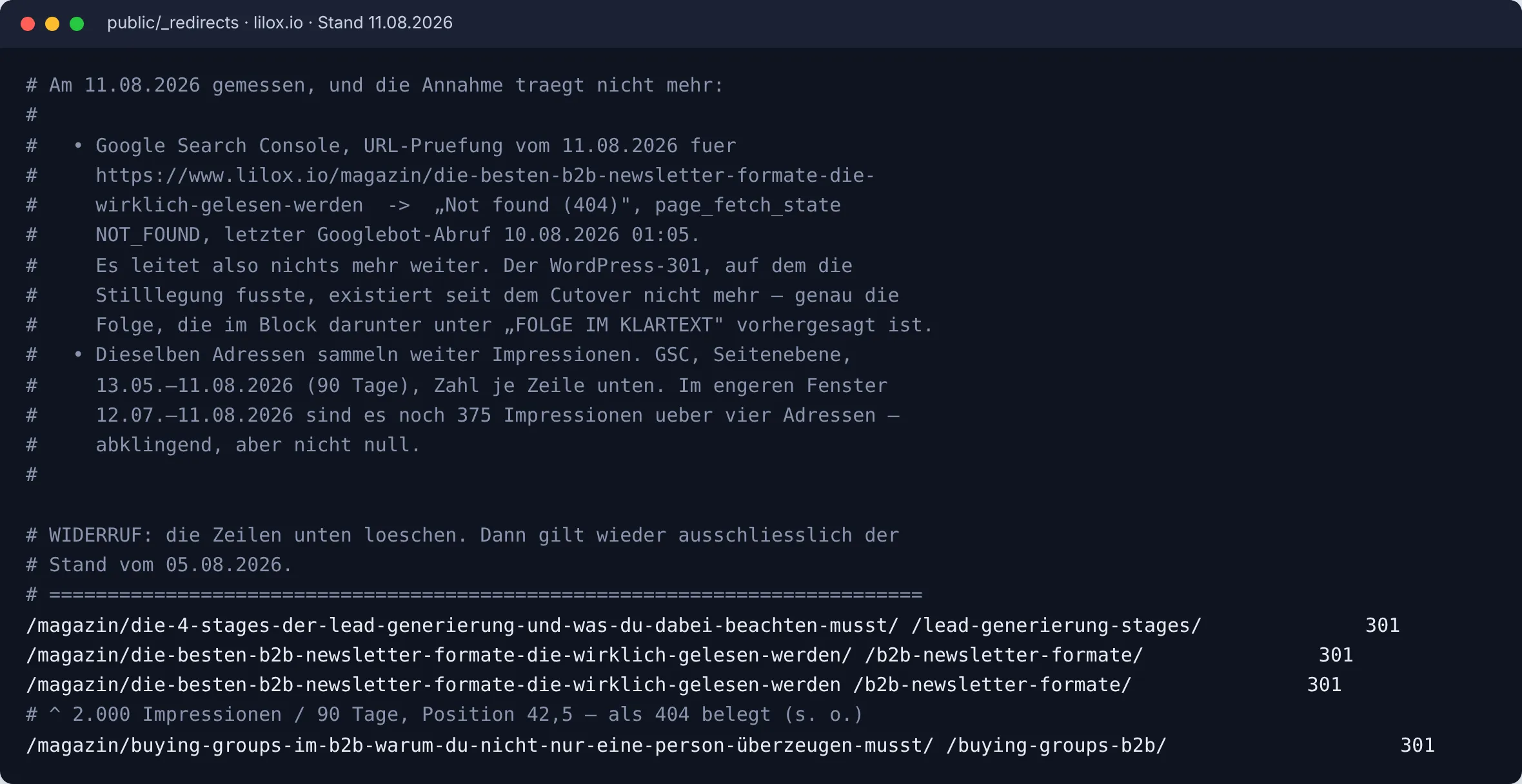
On 6 August 2026 we moved lilox.io from WordPress to a new, static website. The day before, we had postponed 144 redirects, because we thought the old site would forward these addresses anyway. Five days later the Search Console showed that old magazine addresses were ending on an error page, one of them with 2,000 impressions in 90 days. The image shows the spot where we corrected this.
- In a relaunch, what costs the most is whatever nobody wrote down before go-live. At the very top is the complete list of the old addresses.
- The sitemap is not enough for this. Ours knew 132 addresses, the Search Console 201 and Google Analytics 591 paths.
- On go-live day, one entry at our old host cost us three hours. Point 19 prevents that in two minutes.
- The 30 points are arranged in five phases and can be adopted directly as a project plan.
Chapter 1. What happened during our move
Our move was not a big project. The website had around 160 addresses in German and English. Even so, three things happened that appear in no standard checklist.
The first is the postponed redirects shown in the image above. The second was the hostname. On go-live day, DNS, server, route and cache were all configured correctly, and yet the old site still answered. Our old host had registered www.lilox.io in its own Cloudflare account, and every request ended there. The search took three hours, and the problem was finally solved at the old host.
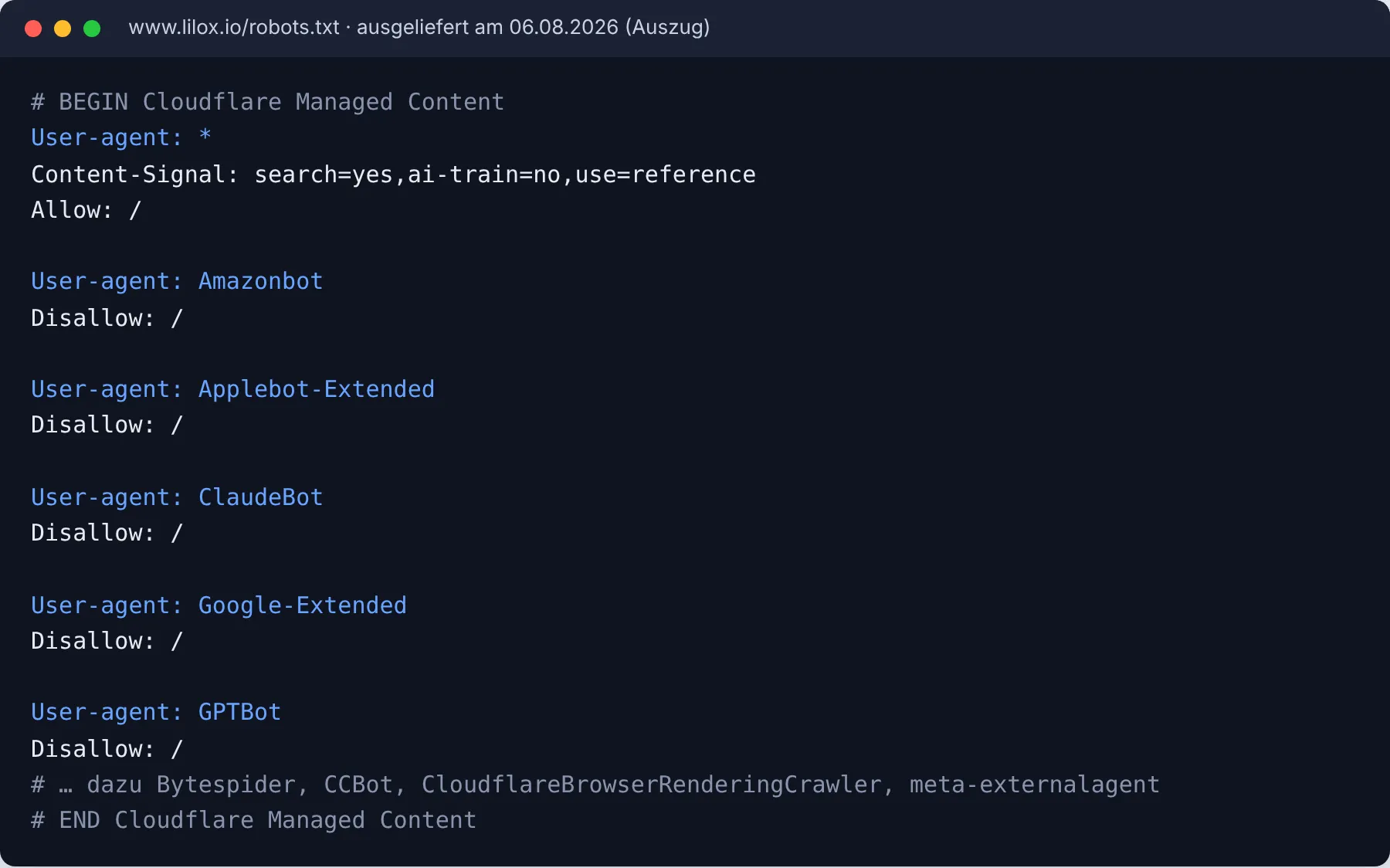
The third was the robots.txt. Cloudflare had put its own block in front of our file, which blocked nine AI crawlers, including GPTBot, ClaudeBot and Google-Extended. None of this was in the project. For an agency that makes companies visible in AI search, this was the most unpleasant finding of the day.
“The most expensive sentence of our go-live day was: Everything is configured correctly, and yet the old site still answers. Since then, the first thing we check is who answers a request at all.”
Chapter 2. Preparation
- Write down the goal in one sentence. Note what should measurably be different after the relaunch, for example more enquiries through the contact form. The sentence determines the key figure you will compare in Chapter 6.
- Plan one change at a time. Google advises not to change the domain, system and design on the same day. If that is not possible, document what went live when.
- Create a directory of all old addresses. Combine the Search Console over the longest period, Google Analytics and the sitemap. While doing so, check which paths actually belong to your website. In our case, 125 Analytics paths came from the appointment booking service.
- Secure your measurement baseline. Export clicks, impressions and position per page for twelve months, plus the loading time of your five most important pages. We did not have loading times, so there is no before-and-after comparison for them in our case.
- Name the people responsible. Copy, legal texts, technology and the go-live approval each need a name. The approval belongs to the person who has seen all four areas.
- Secure the test environment. Password protection at server level. Every block you set for this goes on a list for go-live day.
Chapter 3. Content and redirects
- Decide for each old address. Keep, merge or delete. Before deleting, check in your measurement baseline whether the page had any clicks.
- Create the redirect plan. Three columns with old address, new address and status code 301. Every redirect leads directly to its target, without a chain.
- Mark each mapping as certain or derived. For us, certain means the new title matches the old one. Derived mappings need a decision on content before they go live.
- Don’t redirect everything. 198 addresses on our old site were never real pages, because a menu link without a leading slash had appended every path to every other path. Such addresses get no rule. Google regards redirecting many old addresses across the board to the homepage as an error.
- Keep the titles and H1s of well-performing pages. Anyone who rewrites them on the side changes a ranking signal without noticing.
- Carry over internal links, images and PDFs. Internal links point directly to the new addresses. A PDF with backlinks needs the same redirect as a page.
Chapter 4. Technology and acceptance
- Check what is actually delivered. During our acceptance, the old address was still in the footer of every test page. The source had been corrected, but the build was ten hours older. Always check what the server actually delivers.
- Measure the loading time of the most important pages. In our case, the video on the homepage, at 4.88 MB, made up around 78 percent of the page weight. We only noticed this after go-live.
- Test forms all the way to arrival. Submit one and check whether the enquiry arrives in the inbox or the CRM. The thank-you page on its own proves nothing.
- Check tracking and consent. Without consent, no tracking loads. With consent, the goals come through.
- Set canonicals and structured data. Every page refers to itself, and the structured data names the new addresses.
- Prepare the way back. A backup and a rehearsed way to restore the old site within an hour. For this, we kept a second domain with the same state on standby.
Chapter 5. Go-live day
- Have the hostname released by the old provider. If your old host itself uses Cloudflare, your hostname may be registered in its account. Then every request continues to land with it. Have them confirm beforehand that the entry has been removed. You can check this in two minutes: the TXT record under
_cf-custom-hostnamein front of your domain must be empty. - Activate the redirects and call them individually. Open the 50 most important old addresses with an addition such as
?test=1, because browsers store redirects. Expect exactly one 301 to the correct page. - Remove the blocks from the test phase. Work through the list from point 6, then check the source code and robots.txt of the live site.
- Read the delivered robots.txt in full. Some hosts and CDNs put a block in front of their own file, which you never see in the project. Compare the blocked bots with what you have deliberately decided.
- Submit the sitemap. Only new addresses that respond with 200. The old sitemap stays online for a few weeks for comparison.
- If the domain changes, report the address change. The tool in the Search Console is only available for a change of domain. It takes effect for 180 days, and the redirects should stay in place for at least a year.
- Update external references. Ads, LinkedIn, directories and email signatures. Start with the sources that bring the most visits.
Chapter 6. The first weeks afterwards
- Read the Search Console daily for two weeks. Error pages, indexing and both sitemaps.
- Test old addresses with the URL inspection tool. This is exactly what showed us on the fifth day that the postponed redirects were missing. Four old magazine addresses still generated 375 impressions in the month before.
- Compare against the measurement baseline. A drop in the first week is normal. If it persists after six weeks and affects certain pages, look there.
- Check public files for internal content. Seven weeks after the move, our robots.txt with 293 comment lines, a build log in llms.txt and an internal note in the download folder could all be retrieved. Open these files once from the outside.
- Keep redirects for at least one year. Enter a date twelve months from now on which someone checks whether they are still active.
How we checked the addresses against real traffic before go-live is described in detail in the article Website relaunch without losing rankings.
Frequently Asked Questions
How long does a website relaunch take?
For a B2B website with 50 to 200 pages, it usually takes three to six months. Follow-up takes at least six weeks, because Google needs several weeks before the new addresses replace the old ones.
Do you lose rankings in a relaunch?
According to Google, permanent redirects do not cost link equity. Losses come from missing redirects, forgotten blocks and deleted pages that still receive traffic. For us, clicks from Google Search in the weeks after the move were above the level before.
What does a website relaunch cost at LILOX?
At LILOX, a new website or a relaunch starts at €4,900 at a fixed price. You can find the scope of services on the page Website relaunch.
Revised in October 2026: rewritten with the experience from the move of lilox.io, significantly shortened, author added.
Sources
- Google Search Central, “Site moves with URL changes”: https://developers.google.com/search/docs/crawling-indexing/site-move-with-url-changes
- Google Search Central, “Redirects and Google Search”: https://developers.google.com/search/docs/crawling-indexing/301-redirects
- Google Search Console Help, “Change of Address tool”: https://support.google.com/webmasters/answer/9370220
- Our own data: redirect file and project logs of lilox.io, Google Search Console lilox.io.