TOOLS · TECHNOLOGY
First Accessible, Then Readable. Then Citable.
Technical AI readiness: what your website must meet so AI systems can read it
Many people talk about content for AI systems – almost nobody talks about the technical foundation. The best content is worthless if AI crawlers can’t reach it, render it, or process it.
This article works through the technical prerequisites one by one – with concrete checks you can implement right away.
/ 01 – AI Crawlers
01
Allowing AI Crawlers – or Deliberately Excluding Them
AI providers use their own crawlers with their own names. The most important ones: GPTBot and OAI-SearchBot (OpenAI/ChatGPT), ClaudeBot (Anthropic/Claude) and Google-Extended – the latter controls usage for Google’s AI models, not regular search.
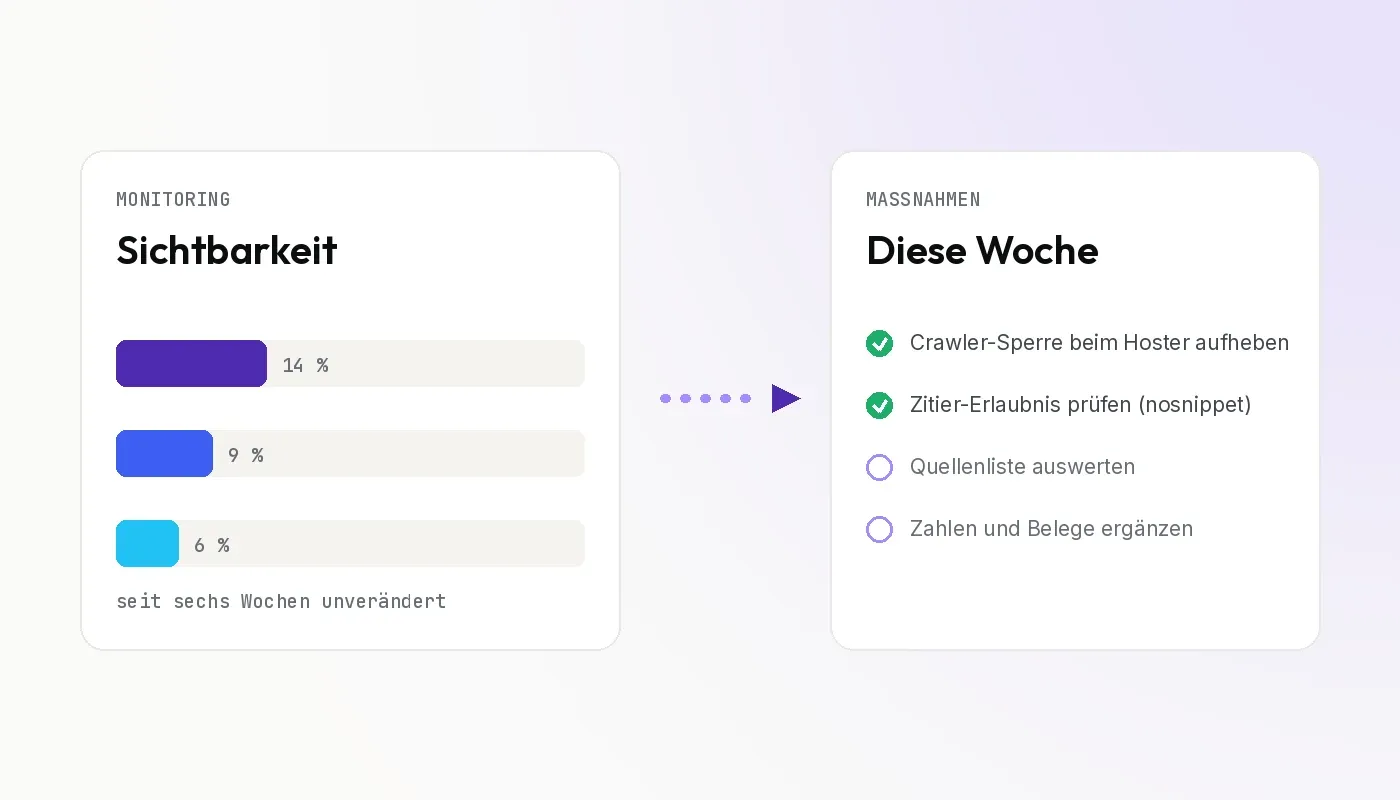
Access is controlled via your website’s robots.txt. The most common mistake isn’t deliberate blocking, but the unintentional kind: security plugins, firewalls or blanket robots.txt rules block AI crawlers without anyone noticing.
Check: Open yourdomain.com/robots.txt and look for the crawler names and for blanket disallow rules. Also check your server logs or CDN dashboard to see whether requests from these bots are being blocked.

First accessible, then readable, then citable. In that order.
Guiding principle of AI readiness
/ 02 – Content as Text
Content as Text: The JavaScript Problem
AI crawlers primarily process the delivered HTML text. And here’s a problem affecting many modern websites: the major AI crawlers don’t execute JavaScript. Vercel and MERJ evaluated crawler traffic on the Vercel network for this in their study “The Rise of the AI Crawler” (December 2024), including 569 million requests from OpenAI’s GPTBot and 370 million from Anthropic’s ClaudeBot within a single month. The finding: these bots do request JavaScript files, but don’t execute them, and therefore don’t read client-side rendered content. Google’s Gemini is an exception, because it uses Googlebot’s rendering infrastructure. Content that only loads later in the browser is invisible to the other systems – even if visitors see it perfectly well. The data is from December 2024, and the field is moving fast: which bots render can change.
Also critical are contents that exist only in images or graphics, that live exclusively in PDF brochures, or that are hidden behind logins, forms and cookie walls.
Check: Load your most important pages with JavaScript disabled, or look at the page source. Anything that doesn’t appear there as text doesn’t exist for many AI crawlers.
/ 03 – Structured Data
03
Using Structured Data
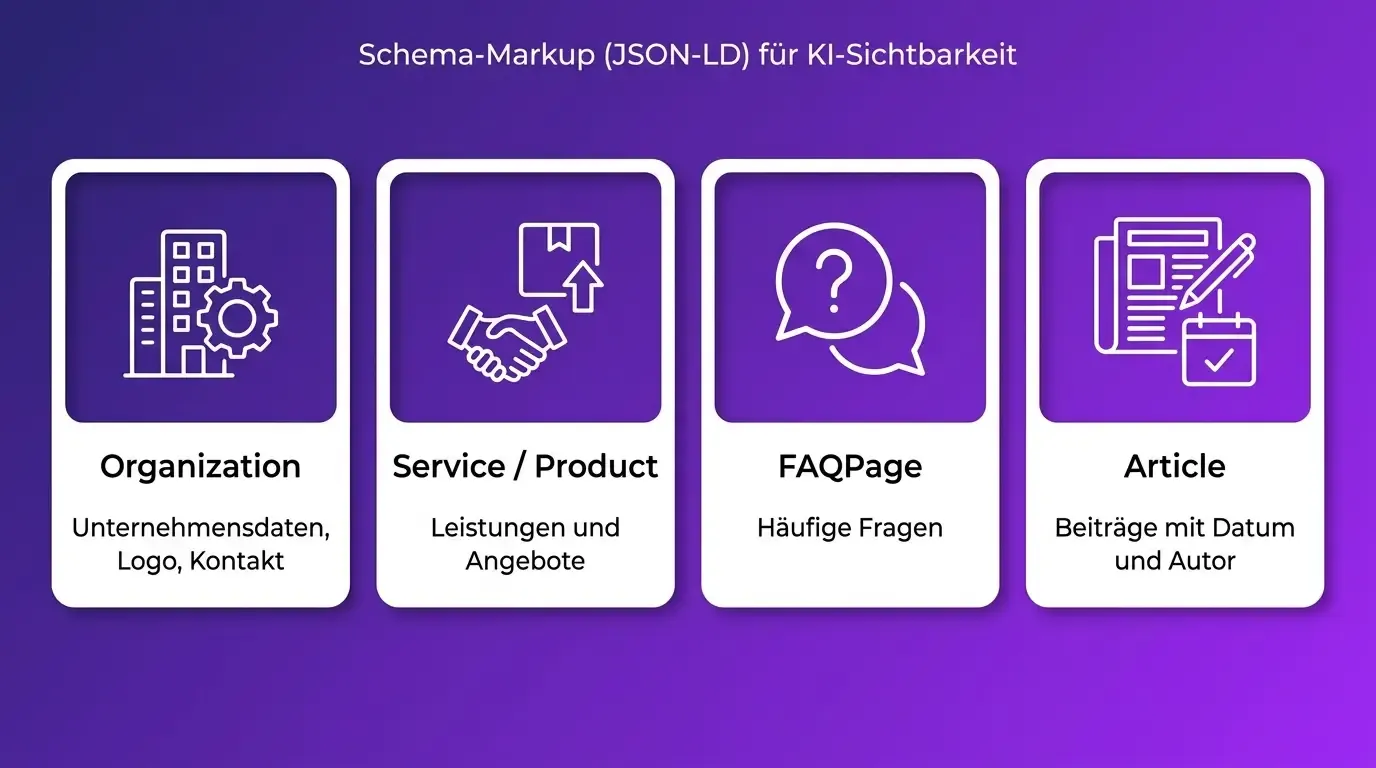
Schema markup in JSON-LD format tells machines what a page is about and how its elements relate to each other. Especially relevant in B2B: Organization (company data, logo, contact), Service/Product (offerings), FAQPage (frequently asked questions) and Article (blog posts with date and author).
How strongly structured data directly influences citations is disputed. HubSpot’s State of AEO 2026, however, found a measurable correlation: pages that combined a Q&A section with FAQ markup achieved higher citation rates on Google AI Mode and Gemini. The effort is low, the risk is zero.
Check: Test your most important pages with Google’s Rich Results Test or the Schema Validator (validator.schema.org).
/ 04 – Load Time & Consistency
Load Time, Accessibility & Consistent Data
Even AI crawlers have limited resources. Websites that load slowly or frequently return errors get crawled less often and less completely. The basics: load time under two to three seconds, clean internal linking, a current XML sitemap referenced in robots.txt, no 404 errors or redirect chains on core pages.
On top of that comes the consistency of your company data across the web. AI systems cross-check information across various sources to recognize entities: is the company on the website the same as on the LinkedIn profile and in the industry directory? Contradictory information weakens this trust – and with it, the likelihood of being used as a source.
Check: Compare company name, service description and contact details across your website, LinkedIn, Google Business Profile, and the two or three most important industry directories. Unify discrepancies, remove outdated entries.
The Complete Checklist at a Glance
- robots.txt: deliberately allow or block AI crawlers – no unintentional blocks
- Firewall/CDN: check bot protection for blocked AI crawlers
- Core content as HTML text, not only via JavaScript, images or PDFs
- Schema markup: at least Organization, Service and FAQPage
- Load time under three seconds, XML sitemap current, no dead links
- Company data consistent across all platforms
/ 05 – Practical Example
Practical Example: Three Blockers, One Fix
A mechanical engineering company wondered why, despite a website with genuinely good content, it never showed up in any AI answer. The technical check turned up three blockers at once: a security plugin was blocking all AI crawlers at the firewall level – nothing showed up in robots.txt. The core service descriptions existed only in PDF brochures. And the company data contradicted the entries in two industry directories.
After the cleanup – firewall exceptions for the major AI crawlers, service content turned into regular HTML pages with FAQ markup, unified directory entries – the content got picked up by ChatGPT within a few weeks. In the monthly prompt test, the company showed up in provider lists for the first time.
AI readiness doesn’t start with content – it starts with the technical foundation. The good news: the check takes an afternoon, most fixes are quick to implement – and without this foundation, every content optimization falls flat. First accessible, then readable, then citable. In that order.
Keep reading: How your company gets recommended by ChatGPT – the GEO guide
/ 06 – FAQ
Frequently Asked Questions
Mirrors the real prompts from Google AI & ChatGPT around technical AI readiness.
How do I allow AI crawlers like GPTBot in robots.txt?
Via an explicit User-agent entry for the respective bot (e.g. GPTBot) without a disallow. What matters most is ruling out unintentional blocks from security plugins or firewalls.
Why doesn’t my website show up in AI answers?
The most common technical causes: AI crawlers get blocked at the firewall level, core content exists only in JavaScript, images or PDFs, or the company data is contradictory across the web.
Do AI crawlers process JavaScript?
Usually only to a limited extent or not at all. Content that only loads in the browser is invisible to many AI systems. Core content needs to be delivered as HTML text.
Do I need schema markup for AI search?
The direct effect is disputed, but the effort is low and the risk is zero. At minimum, Organization, Service and FAQPage are worthwhile.
What’s the difference between GPTBot and Google-Extended?
GPTBot is OpenAI’s/ChatGPT’s crawler. Google-Extended only controls the use of your content for Google’s AI models – not regular Google search.
How fast does my website need to load for AI crawlers?
As a benchmark, under two to three seconds. Slow or error-prone pages get crawled less often and less completely.
Sources & Further Reading
- HubSpot – State of AEO 2026
- Google Rich Results Test (search.google.com/test/rich-results)
- Schema.org Validator (validator.schema.org)
/ 07 – Who It’s For
Built for companies whose offering needs explaining.

IT & Software Providers
With services that need explaining, and a small number of high-value customers.

Manufacturing Industry & Mechanical Engineering
Selling complex technology to a small number of major decision-makers.

Startups & Scale-ups
Companies that want to become visible quickly and credibly.